Day to day
Keeping your cards
A credit card isn't a debt: it's what you pay with, and it runs on its own calendar. Thrymo keeps it beside your budget, never inside it.
- 1
A card isn't a debt
Clear it in full every month and you have a card and no debt at all — and until now there was nowhere to put it except by calling it a debt. Here it lives in its own section, with the only two things that really define it: when it closes and when it's charged.
None of this screen enters your budget. It creates no recurring expenses, reserves nothing, and moves neither your available money nor your drift nor any other figure in the cycle.
- 2
Adding one
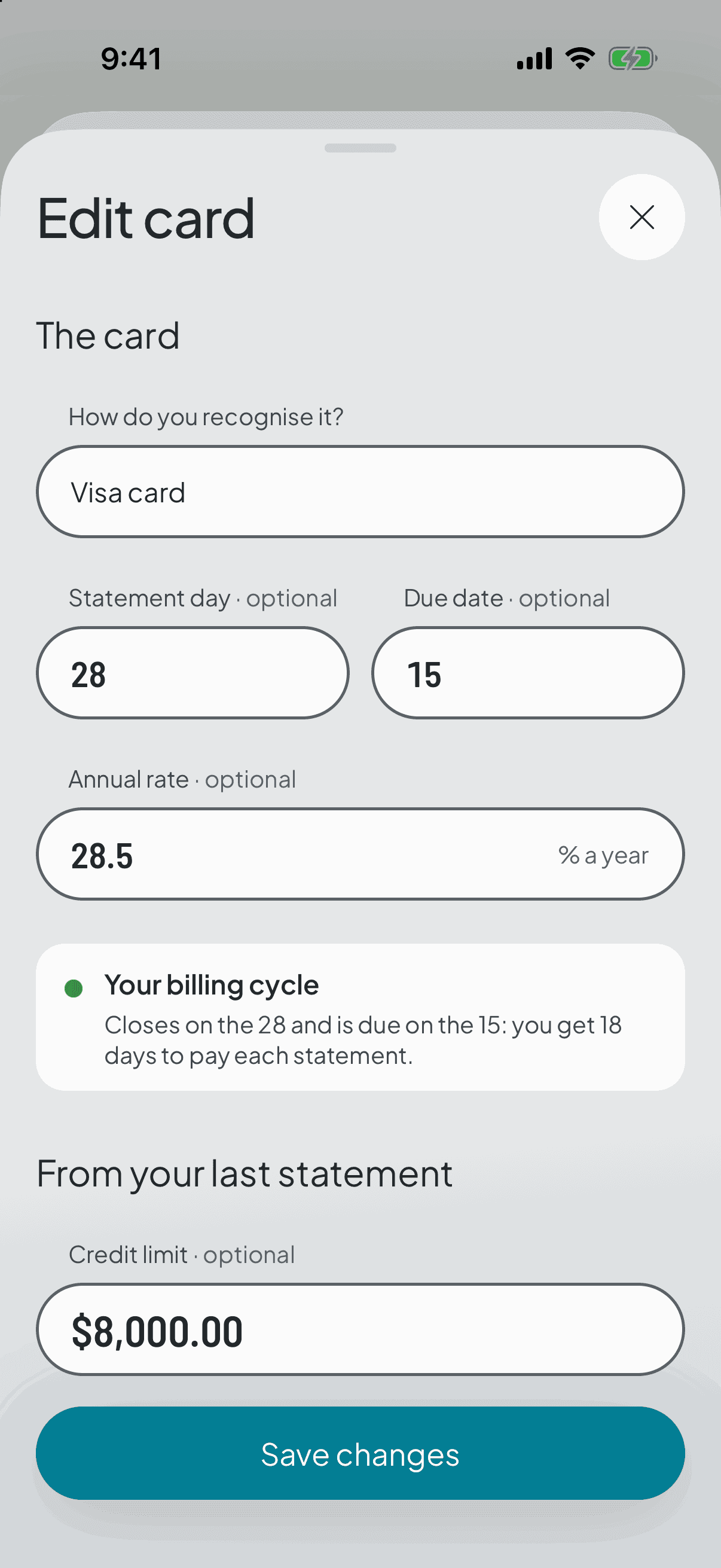
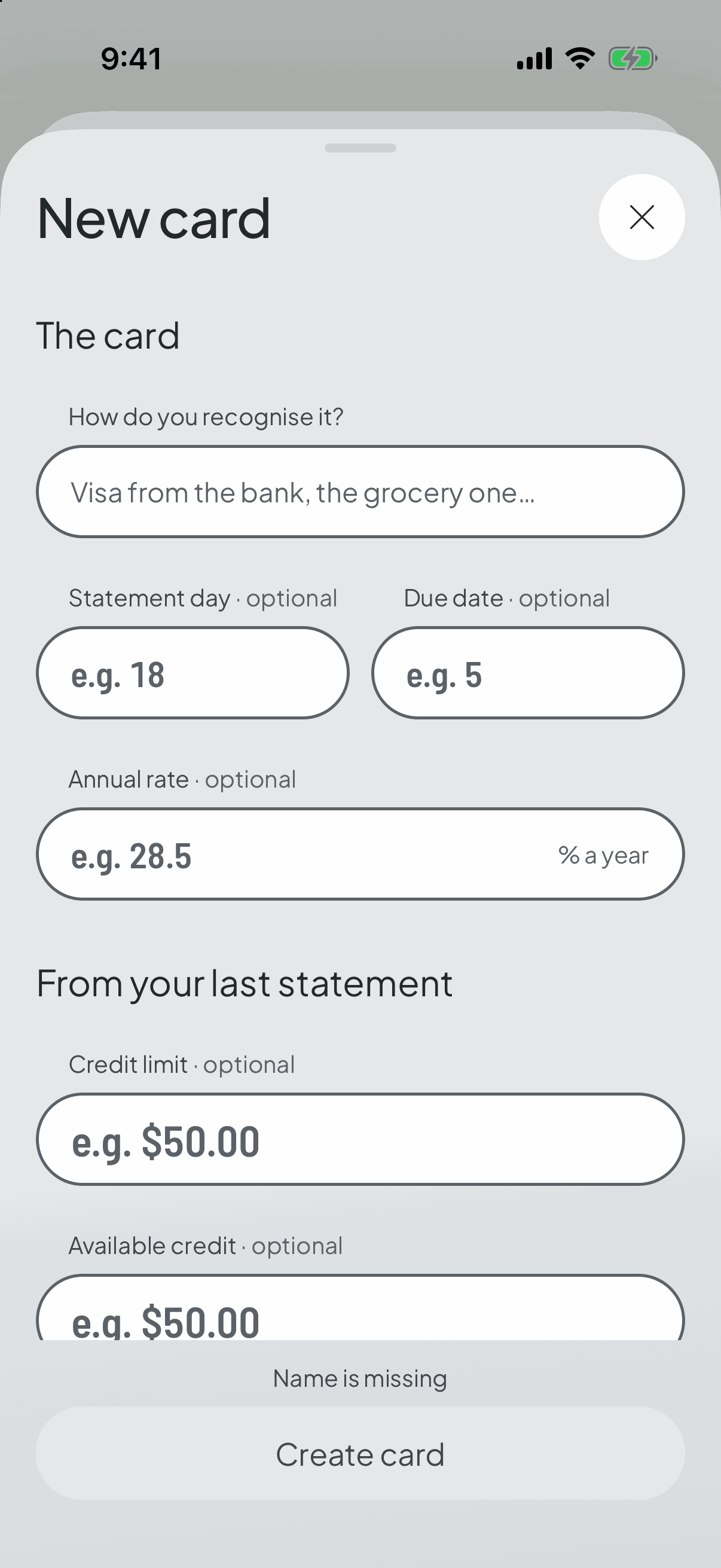
Two things are enough: how you recognise it, and its two days — the statement date and the payment date. The annual rate is optional.
If you like, copy the figures from your last statement too — limit, available credit, balance due and monthly payment. Those are optional as well, and they change nothing above.
- 3
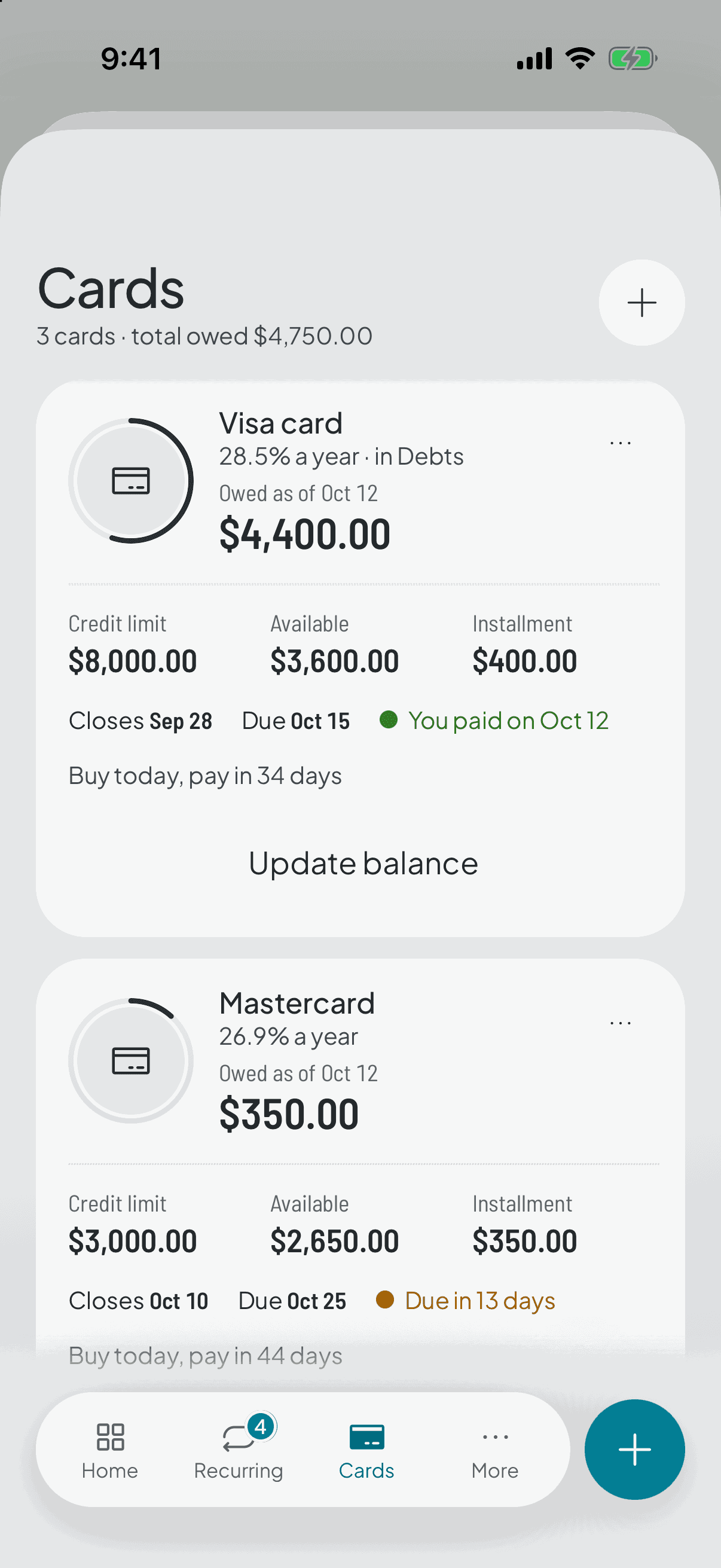
“Buy today, pay in 32 days”
Under the billing bar, the app works out how long what you buy today takes to be charged. It comes from the calendar, not from a number you typed: the purchase lands on the statement that closes on your next statement date, and that statement is charged when it falls due.
The window is longest right after the statement date and shortest just before it. Watching it come down day by day is the whole explanation.
It describes how your card works; it doesn't advise you when to buy. That's why it sits in grey, in plain text, never in the colour of an action: a budgeting app that nudges you to spend because the window is long is doing the opposite of its job.
- 4
Figures with the date you copied them
Whatever you bring over from your statement is saved with the day you brought it underneath. The app never recalculates it: it subtracts no payments and adds no expenses.
That stamp is what keeps an ageing number honest. A balance you typed goes stale within a day; a balance you typed and dated stays true, because it says when it's from. Update it and the date moves with you.
- 5
Reminders for the close and the due date
You can ask for a nudge on the statement date, on the payment date, or both, as far ahead as you like.
They start switched off and you turn them on card by card. The statement one is the only figure in the app that changes a decision before you make it: whatever you buy after that date lands on the next statement.
- 6
And if you track it in Debts as well
A switch in Edit card creates a linked debt: the payment is reserved in your cycle and you get the projection. Turning it off retires the debt without touching your card's figures, which are yours and don't depend on where you keep it.
The link syncs nothing in either direction. When you pay, the app doesn't move your balance: it tells you and opens the form with the arithmetic already filled in — available plus the payment, balance minus the payment — so you can check it against your bank and confirm it yourself.
Doing it without asking would mean deriving your balance, and on a revolving card that ends up announcing it's all paid off while the limit is maxed.