Day to day
Setting savings aside, and taking them out
How you put money aside each cycle, why it lowers your available balance without counting as spending, and what happens when it's time to use it.
- 1
Setting aside means logging it to savings
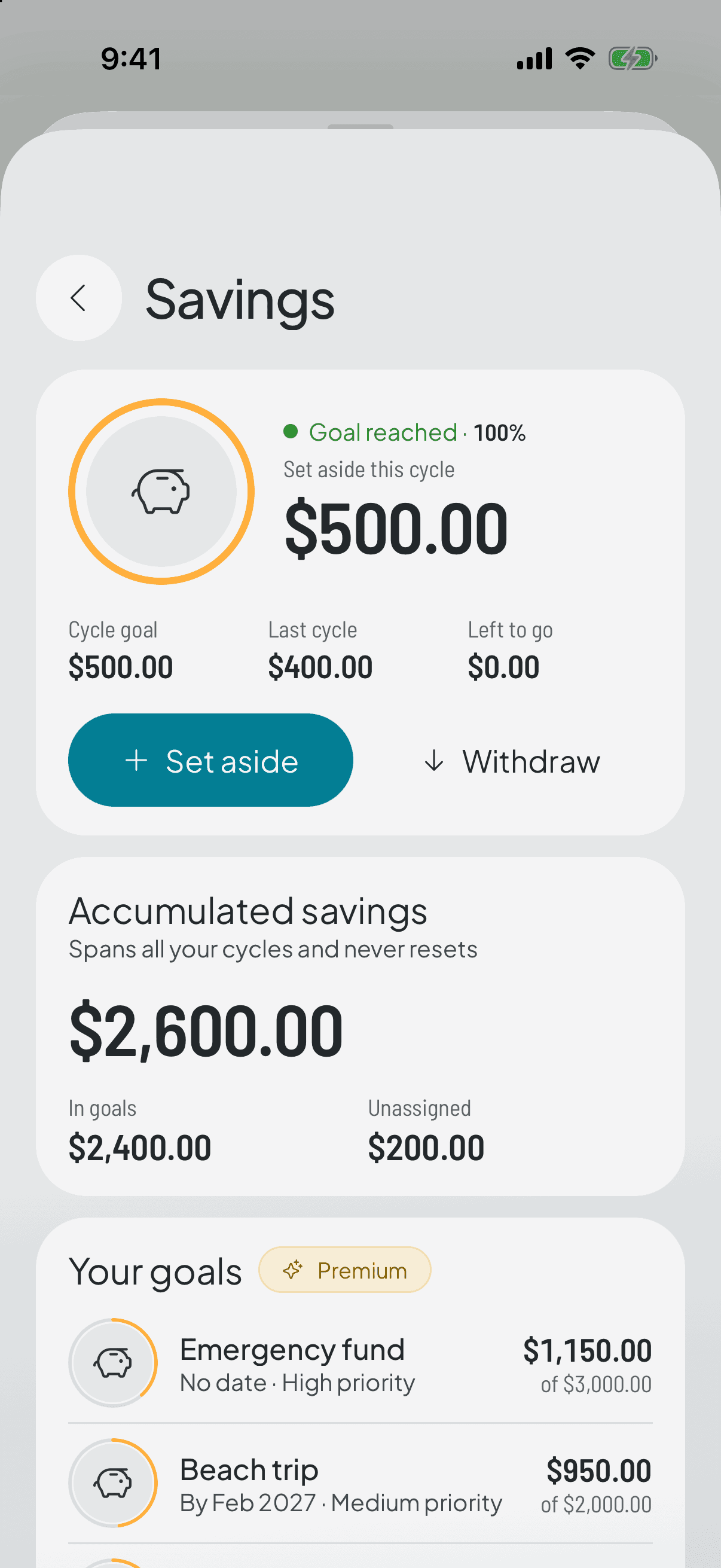
There's no separate mechanism: you put money into savings the same way you log any expense, by picking that category. The difference is what the app does next.
- 2
It lowers your available balance, but it isn't spending
What you set aside stops being available for the rest of the cycle, because it already has an owner. But it isn't added into what you've spent: it gets its own line in the home breakdown.
The distinction matters. That money didn't leave your pocket, it changed jobs — which is also why it doesn't count when the app measures your spending pace.
- 3
Taking it out when the time comes
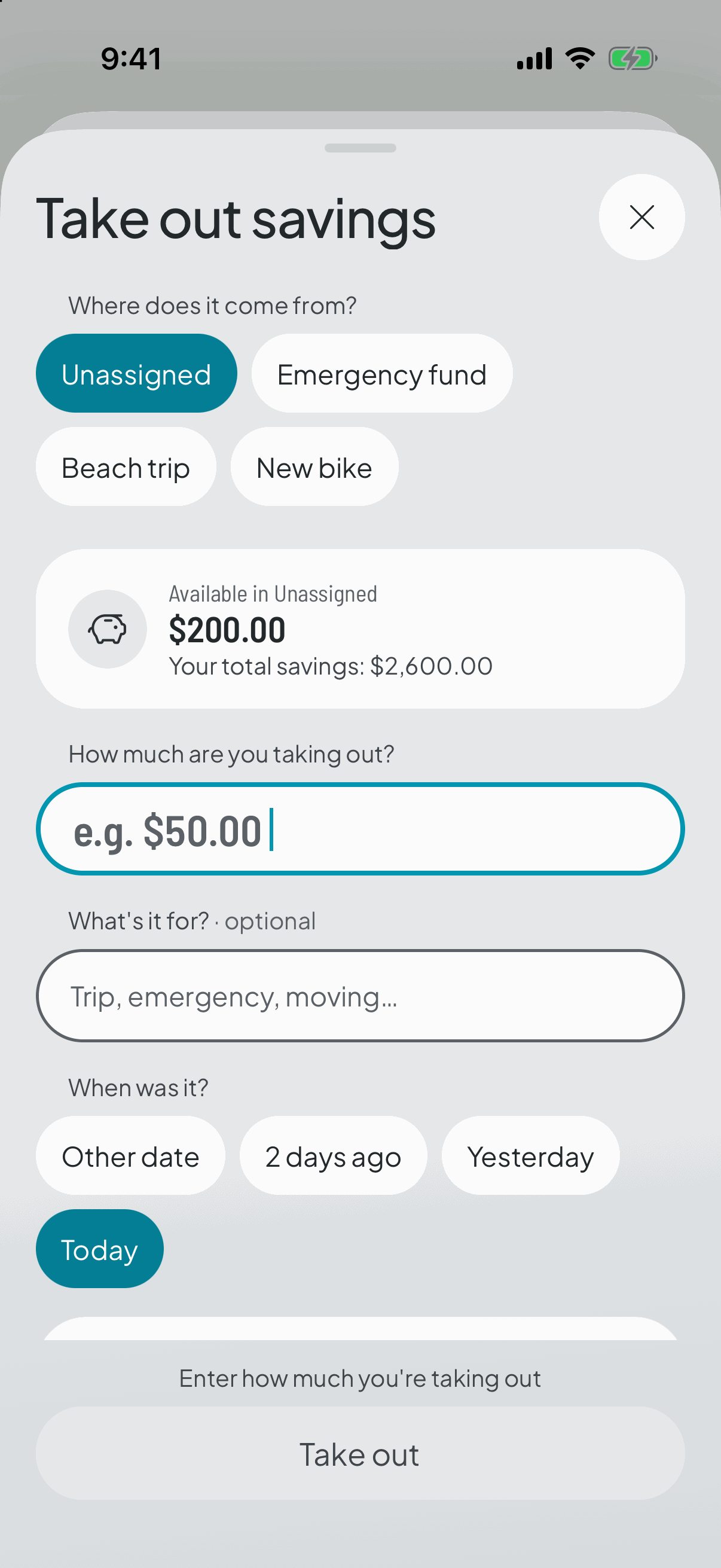
Saving isn't never touching it. When the moment arrives you withdraw and leave yourself a note about where it went.
The withdrawal creates no gap and doesn't touch this cycle's categories: that money came from before and you spent it on purpose. And it won't let you take out more than you've built up.
- 4
And if you got it wrong
A withdrawal can be undone and the total goes back up. As with everything here, it isn't deleted — it's archived.
Seeing the accumulated total and each cycle's contributions is Premium. Setting aside and withdrawing are always free: it's your money, what's charged for is the analysis.