Setup
Changing the split mid-cycle
Rent went up, or groceries came up short: adjust without closing the cycle and without losing anything you've logged.
- 1
No need to wait for the next cycle
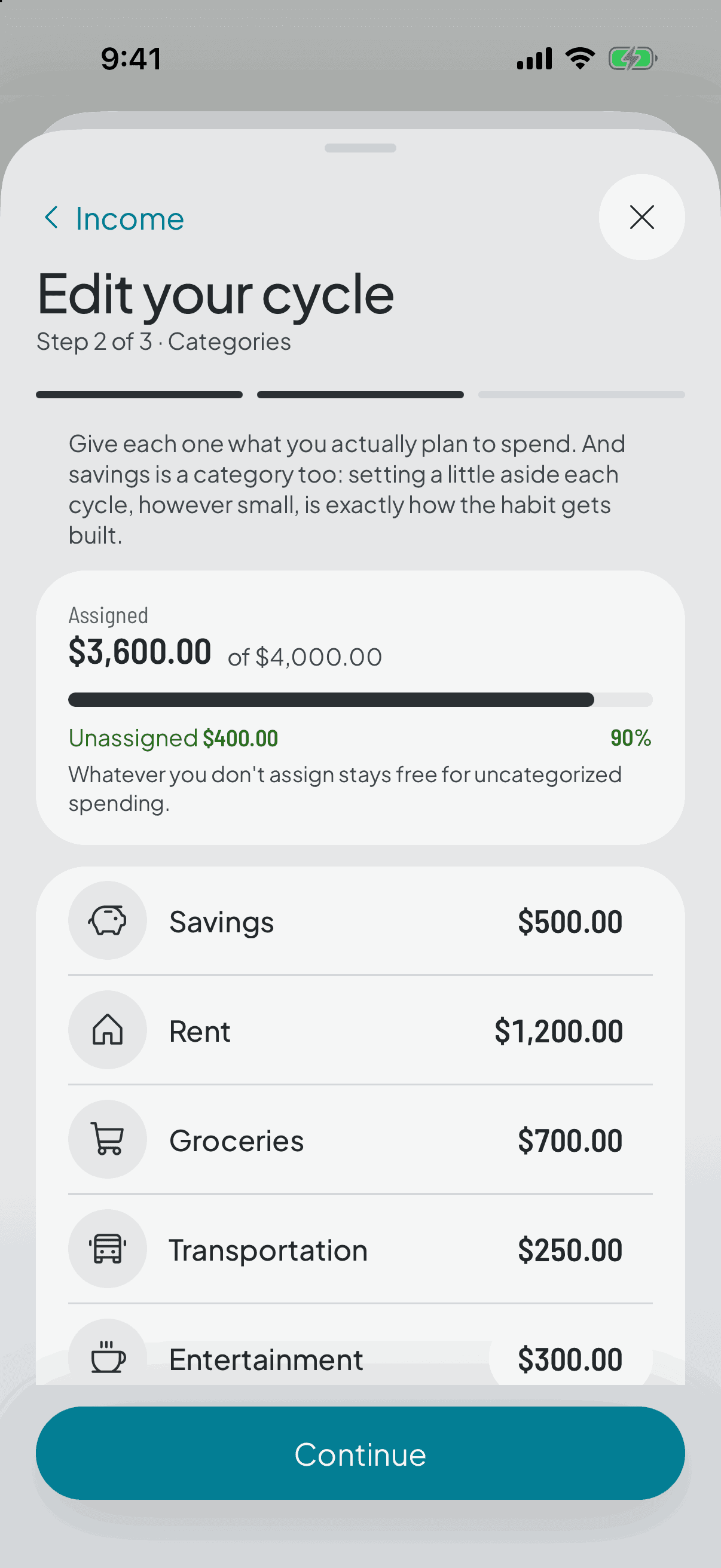
The split isn't a promise you signed. You can change your income and any category's amount at any point in the cycle.
- 2
What you already logged stays put
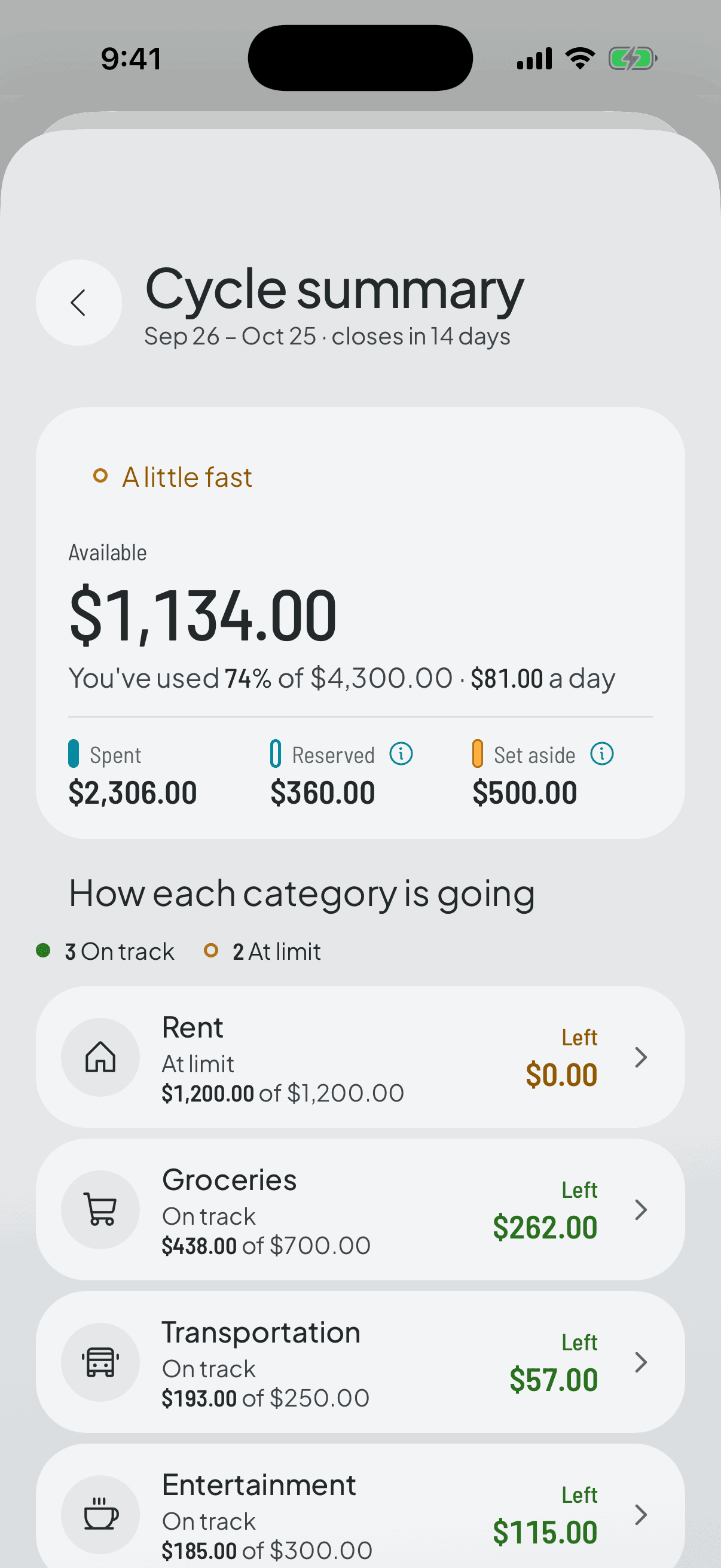
Changing a target doesn't delete or recalculate the expenses you've recorded: it just moves the bar they're measured against. Back on the home screen you'll see the same expenses with a new verdict.
- 3
It applies from here onwards
The change holds for the current cycle and the ones to come. Closed cycles keep the target they were lived with, frozen.
That's what makes the history worth having: if raising the grocery target rewrote the old cycles, the trend would say you were always fine.
- 4
Removing a category doesn't delete it
Take it out of the split and it's archived: it stops showing up, but its expenses stay in the history and in your backup. Nothing in Thrymo is really deleted.