Closing
Closing a cycle
There's no button: the cycle rolls over on its date and a two-step ritual meets you. Here's the order, and why it's that one.
- 1
The cycle closes itself
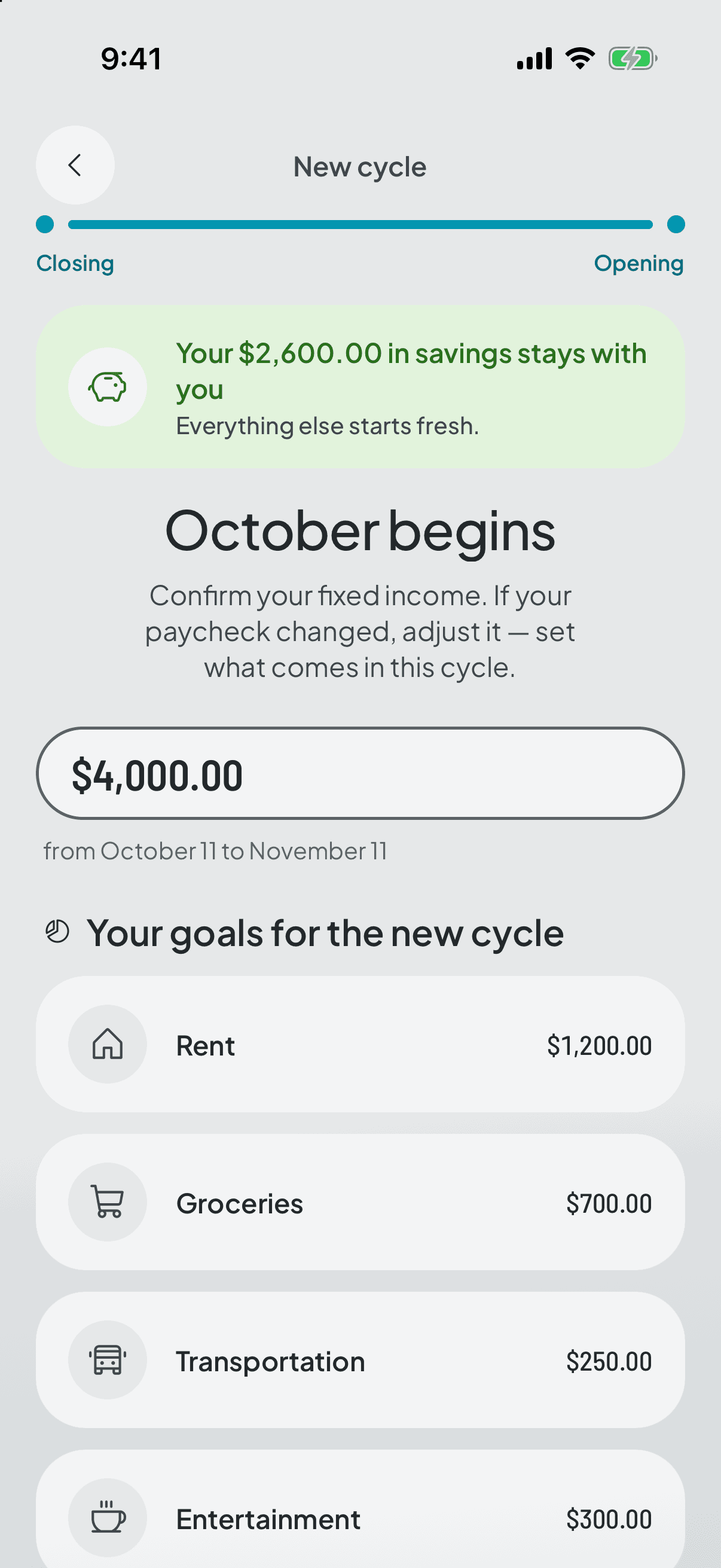
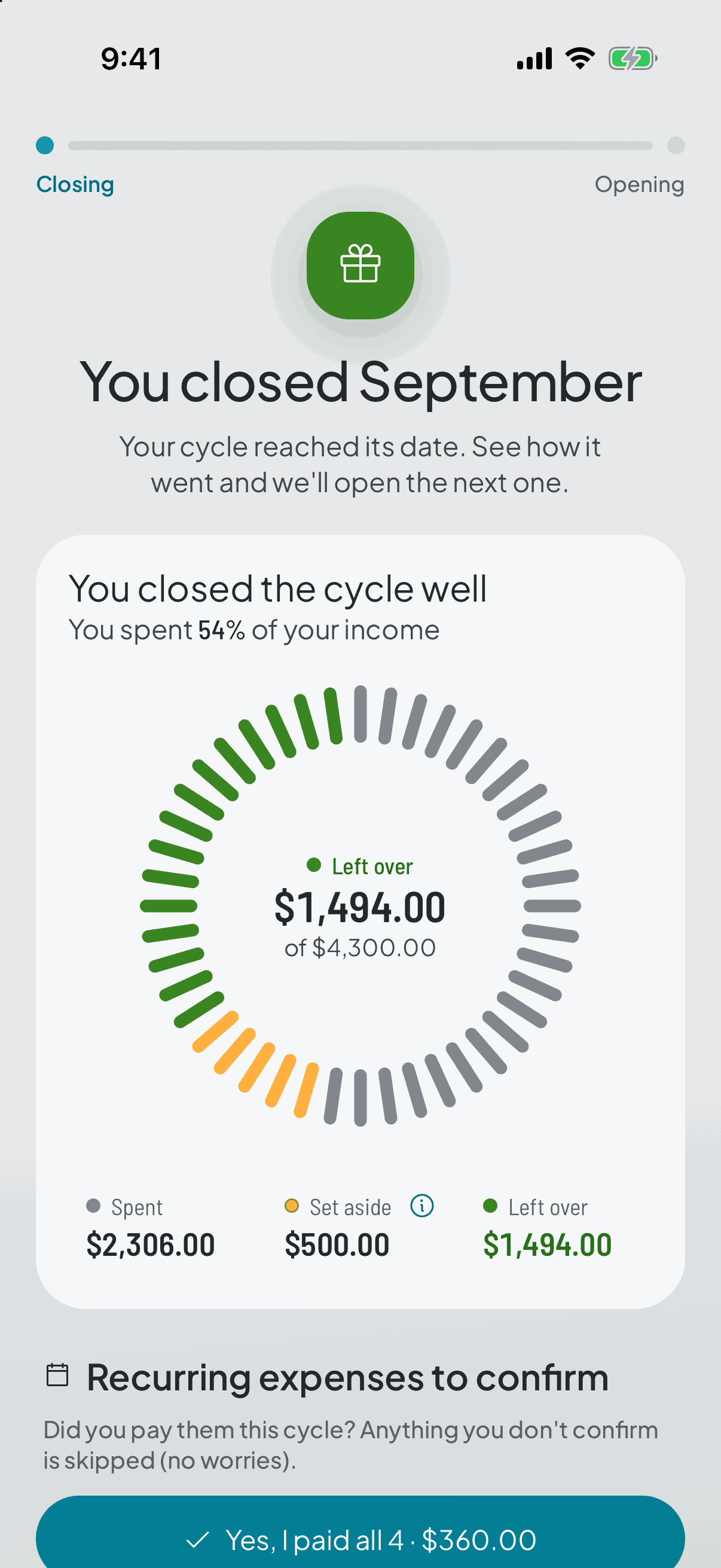
Don't look for a close button, there isn't one. When the date arrives you open the app and the close is waiting. It can't be postponed or backed out of: two steps, closing the one that ends and opening the one that starts.
- 2
Recurring expenses first
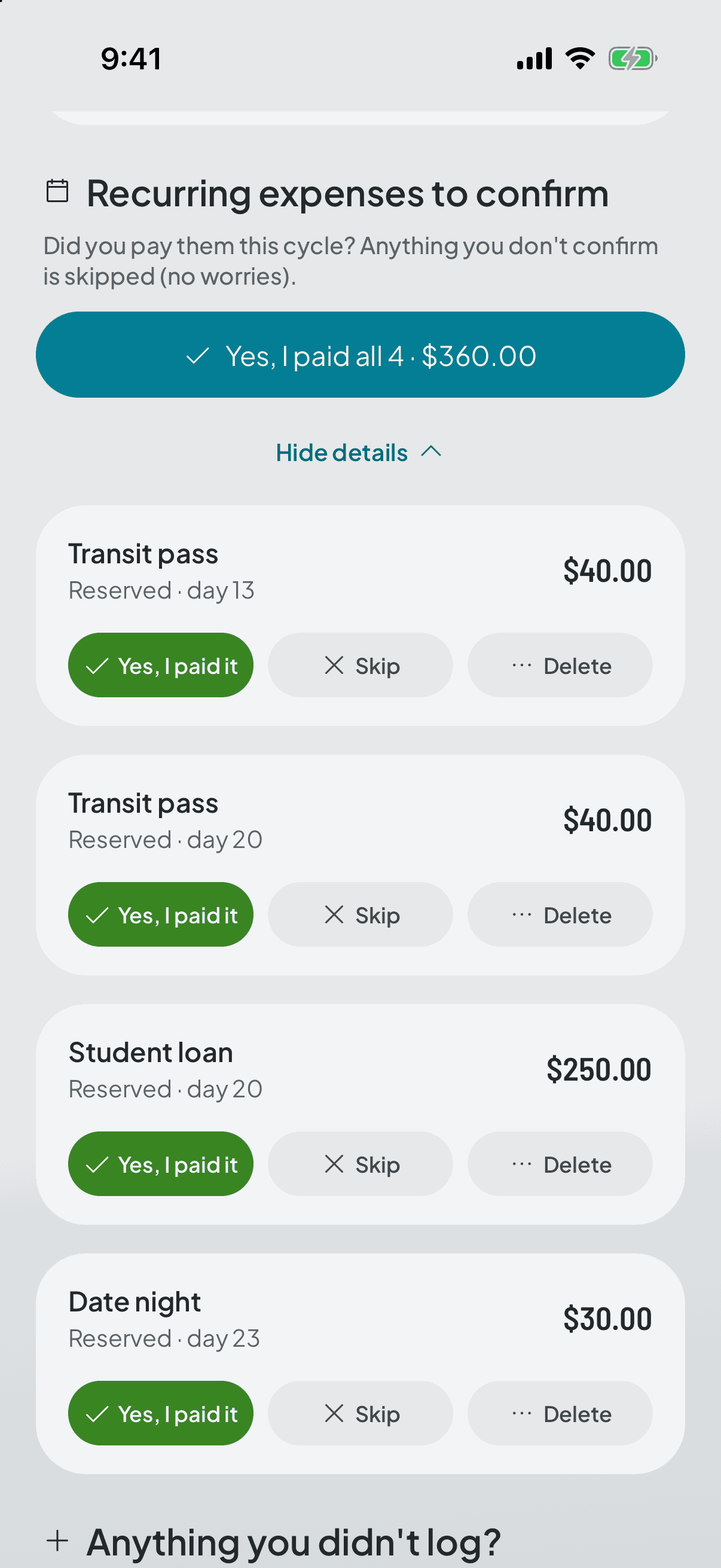
For each recurring expense you say whether you paid it, whether it's skipped because it didn't happen this cycle, or whether you're cancelling it so it doesn't come back.
It goes first for an arithmetic reason: while reservations are unconfirmed, the summary is computed on what was committed rather than on what you actually spent.
- 3
Then, whatever you forgot to log
The app opens one last door to add expenses to this cycle, the one that's closing. It's the only chance: anything you log after it has closed lands in the next one.
This matters most if you log in batches. Without that door, the cycle would close with a gap that was never yours.
- 4
And finally, what you actually have
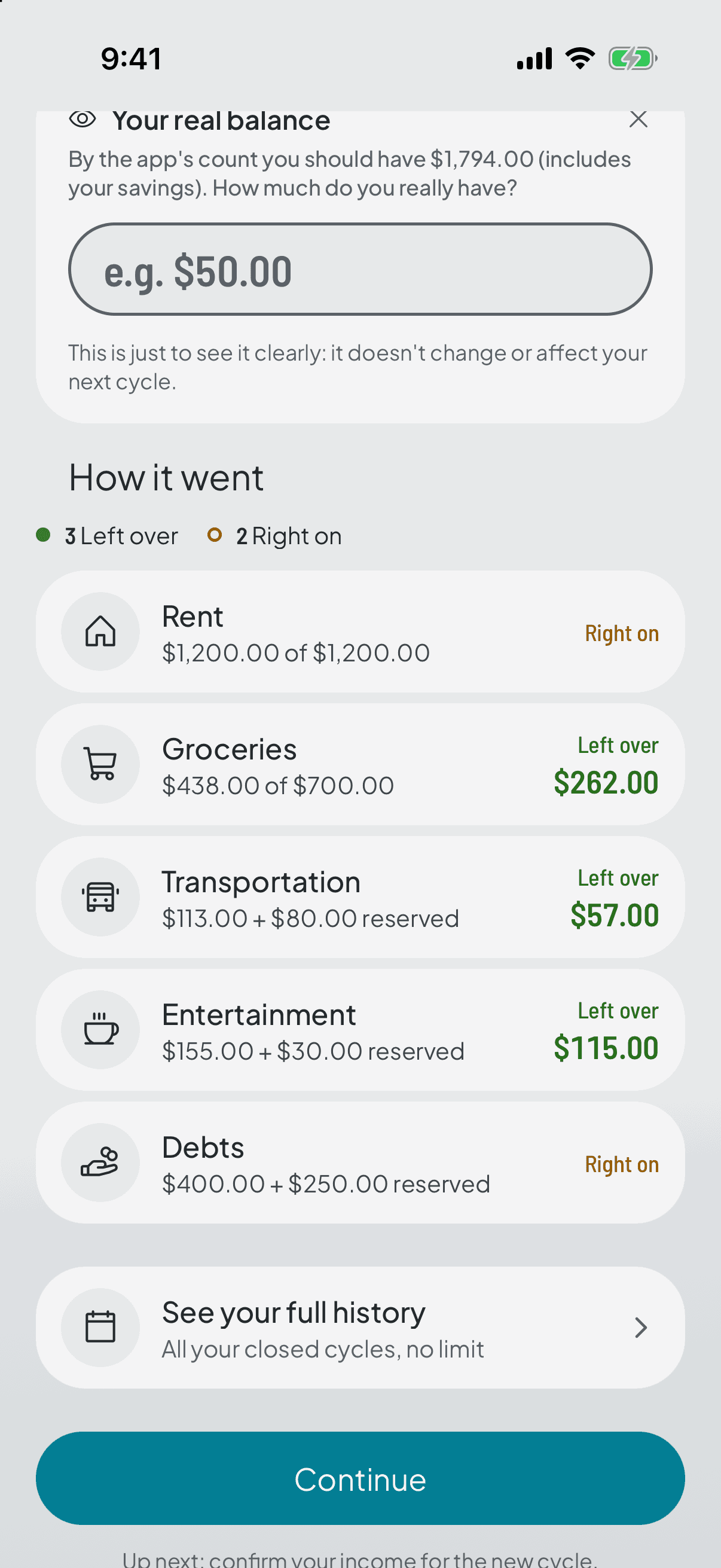
The last question, and the only one you can skip, is your real balance: how much money is in your hands right now. It comes folded away, and if you never open it the cycle closes without a gap.
As you type it, the gap recalculates live, and the figure you see is exactly the one that gets saved.
It comes last because it depends on everything before it: without the recurring expenses confirmed and the missing expenses logged, the expected figure it compares against would be a lie.
- 5
And the next one opens
Step two is the opening: you confirm the new cycle's income and the app builds the rest itself — your category targets, the reservations for your recurring expenses, and any recurring income you have.
Whatever you didn't confirm is released and stops holding money. What was left over or missing gets recorded and carried forward, as information.