Day to day
Logging a recurring expense
Rent, internet, the gym: you set them up once and each cycle reserves them on its own. All you do afterwards is confirm you paid.
- 1
Set it up once and it reserves itself every cycle
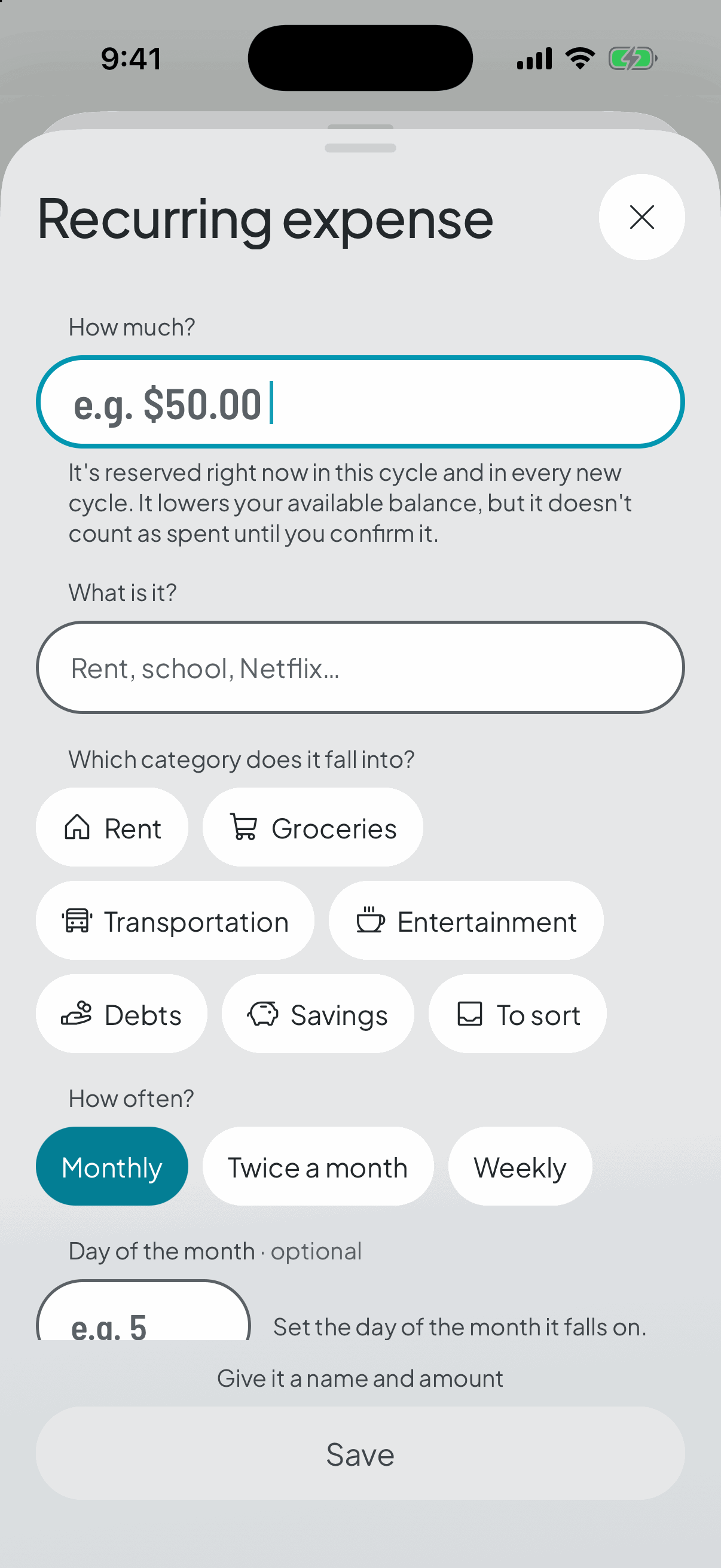
A recurring expense isn't logged month by month: you define it once as a template, with its name, its amount, how often it lands and, if you like, the day of the month it falls on.
You can create it three ways: from the + in the bar, which now offers it directly and asks which category on the sheet itself — no need to go through one first; from the Recurring tab; or from the category it belongs to. The moment you save it, it's reserved in the current cycle, and every new cycle creates its reservation without you lifting a finger.
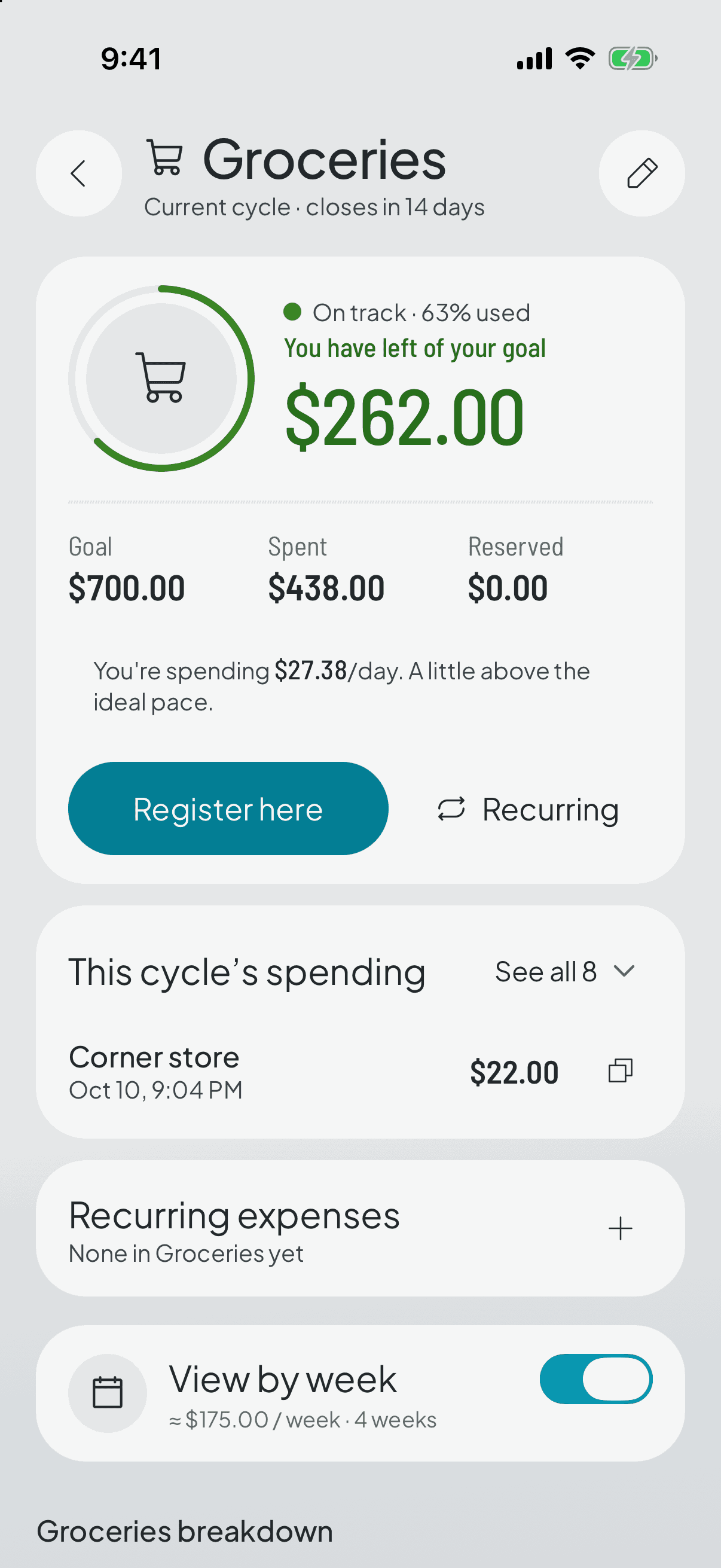
That money comes off your available balance from day one, which is exactly the point: the rent isn't yours to spend just because you haven't paid it yet.
But reserved isn't spent. A reservation doesn't count towards the category's verdict until you confirm you paid it. Until then it's a commitment, not a fact.
- 2
When you pay it, confirm it
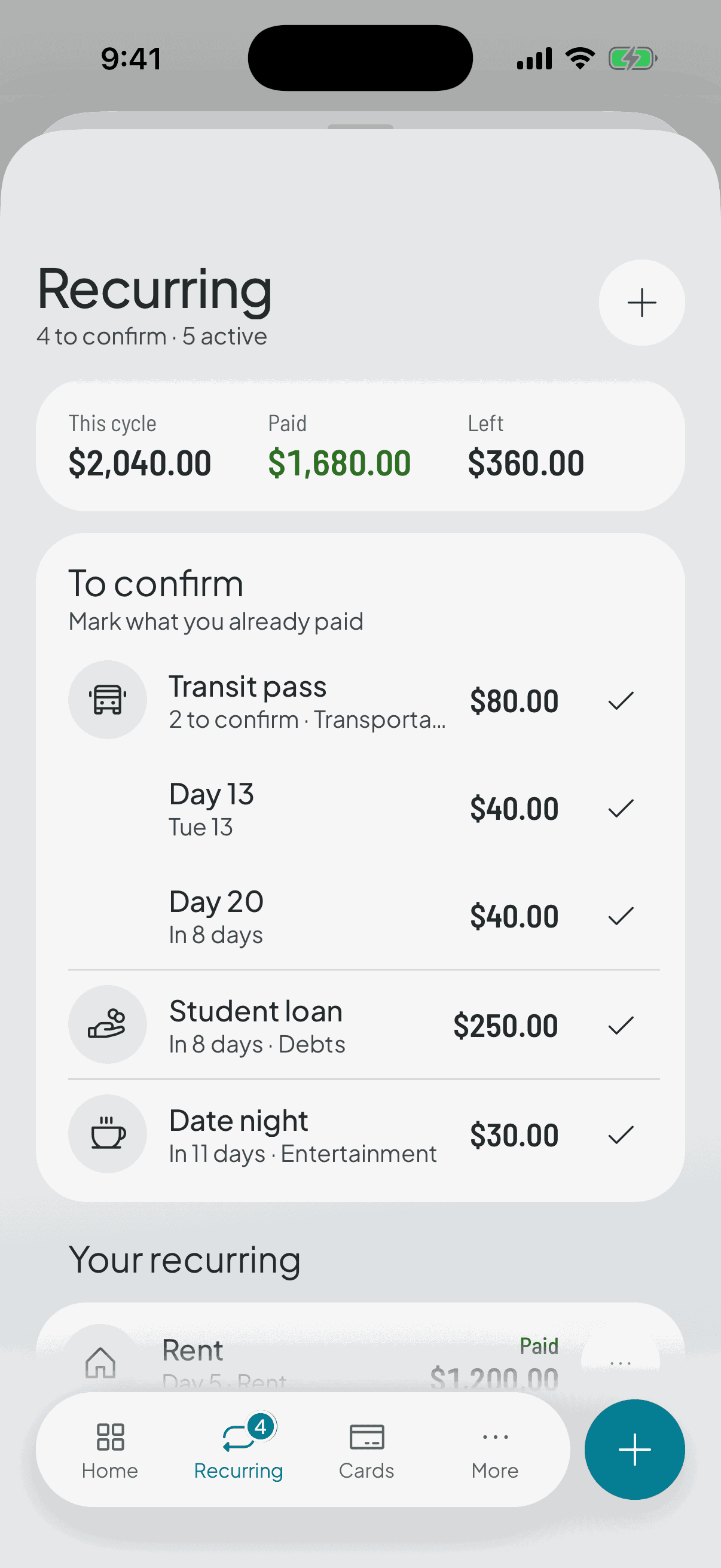
Confirming is telling the app «yes, I paid this». The reservation turns into real spending and starts counting towards the verdict.
If instead of confirming you log a loose expense for that same amount in that category, the app asks whether it's that expense rather than taking your word for it. Say yes: logging it twice would halve your available balance for no reason and hand you a gap at closing time that was never yours.
If you had the reminder for that expense's day switched on, confirming cancels it. Nobody wants a nudge to pay what they already paid.
- 3
At the close, anything unconfirmed is released
The closing ritual starts with your recurring expenses: for each one you say whether you paid it, whether it's skipped because it didn't happen this cycle, or whether you're cancelling it so it doesn't come back.
Whatever you don't confirm is released and stops holding money. Watch the awkward case: if you did pay it and never confirmed, that money is missing from your pocket and will surface as a gap.
- 4
Changing it or cancelling it
If the rent goes up or the day moves, you edit the template and the app re-syncs this cycle's reservation as long as it's still unconfirmed. What you already confirmed stays put, because you already paid it for real, and closed cycles aren't touched either.
Cancelling releases this cycle's reservation and stops generating it from now on. As with everything in Thrymo, it's archived, not deleted.