Day to day
Tracking a debt
A debt lives inside a category, with its instalment reserved every cycle, plus a projection of how many months are left.
- 1
What a debt is here
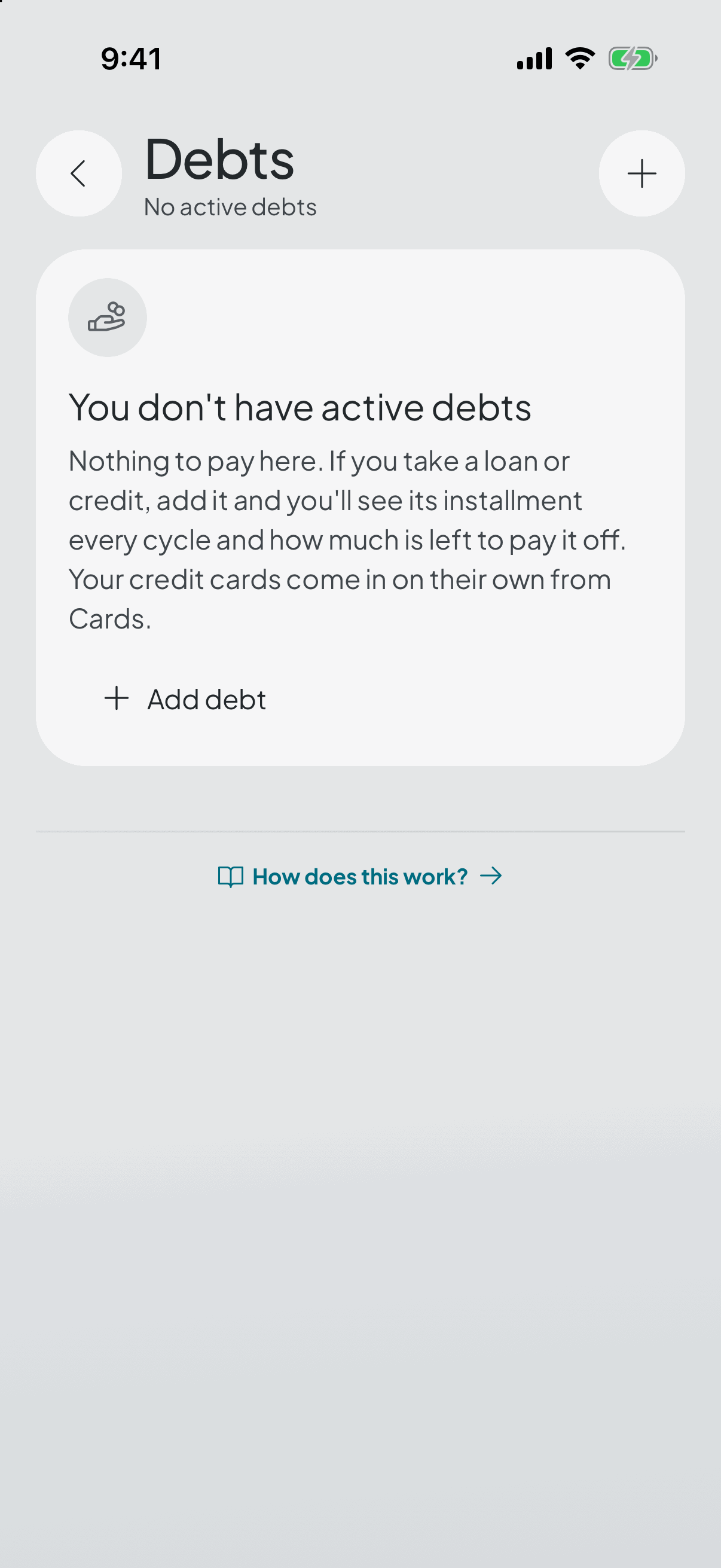
It isn't a separate corner of your budget: the payment lives inside one of your own categories, like any other recurring expense, and sets itself aside every cycle. So the debt competes for your money exactly like rent does — which is exactly what it's doing.
- 2
Setting it up
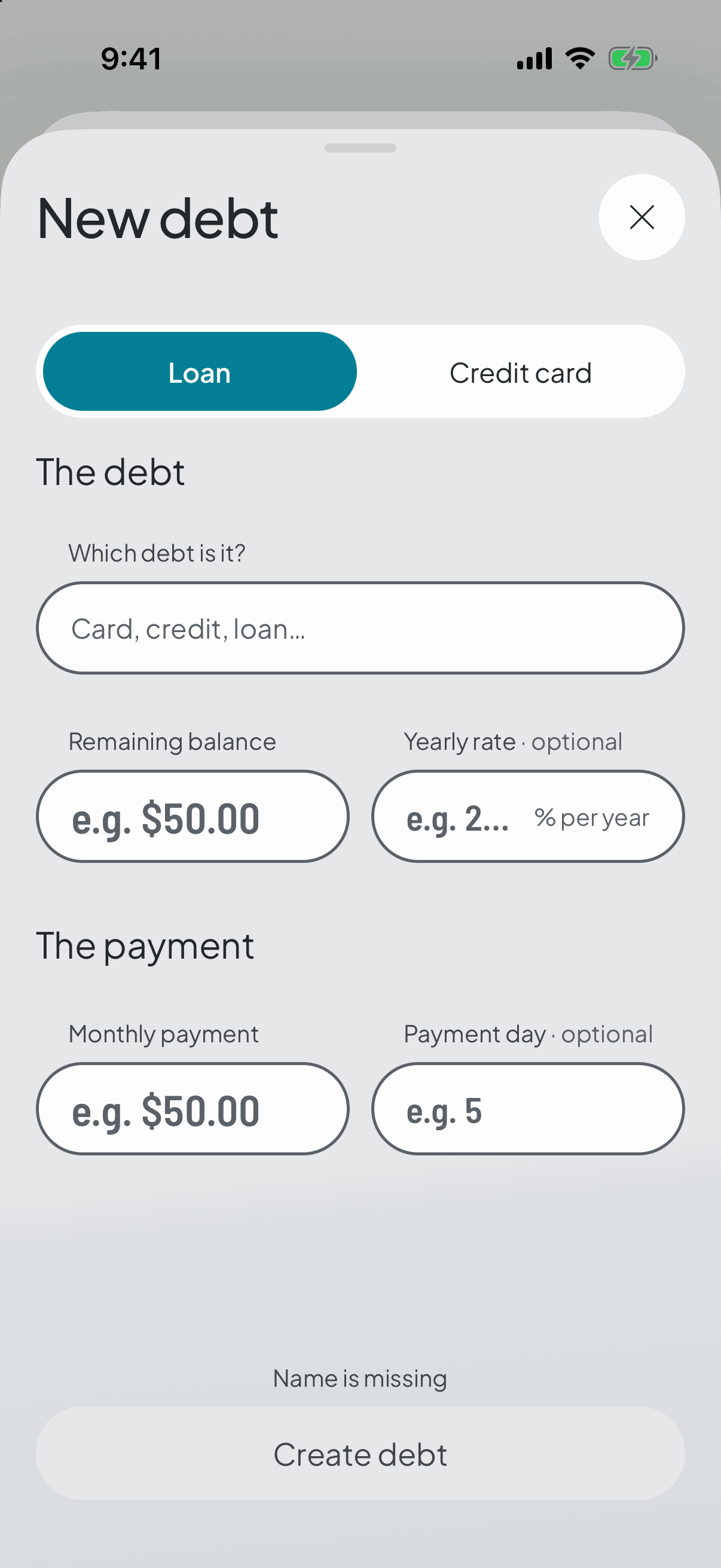
It needs two figures and one decision: how much you owe, how much you pay each month, and which category that payment lives in. The rate and the day of the month are optional — without a rate the maths still works, it just won't tell you what it's costing you.
The moment you save, the payment is reserved in the cycle you're in, not the next one.
The free plan tracks one debt. Premium lifts the cap.
- 3
How much is really left
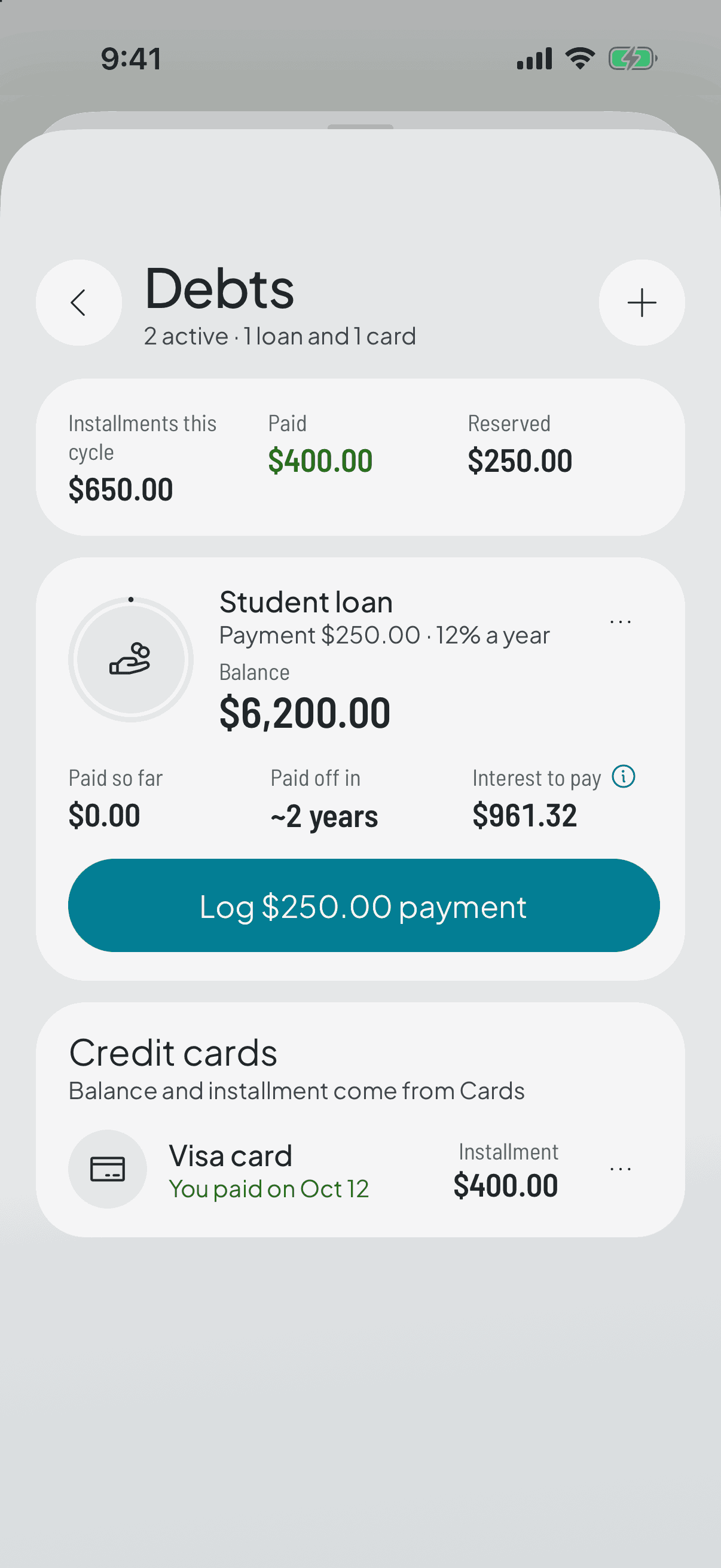
The app amortises month by month and tells you how many months remain and how much interest you'll pay in total. Change the balance or raise the instalment and the maths redoes itself as you type.
It's the part that tends to sting and the part that helps most: seeing that a slightly bigger instalment cuts whole months off.
- 4
Every cycle, like any recurring expense
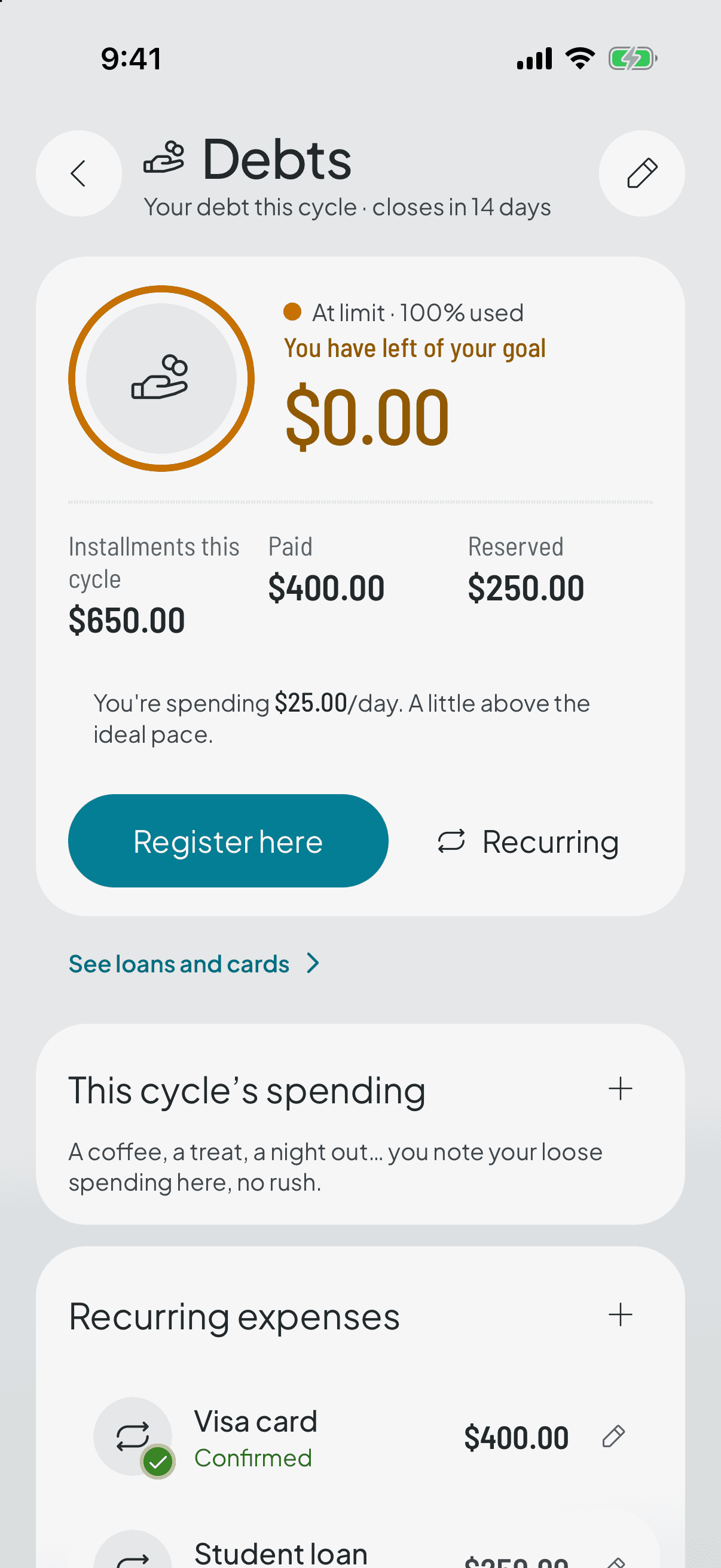
The instalment reserves itself when the cycle opens and lowers your available balance from day one. When you pay it, you confirm it exactly as you confirm the rent.
- 5
Changing it or closing it
You can adjust the balance or the instalment whenever you like. An instalment you already confirmed isn't rewritten: it was a real payment, and history stays put.
When you finish paying, you close it: it stops reserving and is archived along with its recurring rule.